Gotion, 2025 • Internal Tool
Type
Web
Tools
Figma
Role
Sole Product Designer
Status
Launched in 2025

OVERVIEW
The future of ChargePoint Simulator — adaptable to every device model and all the different types of debugging and testing.
Test and debug devices remotely.
The simulator can mimic the behavior of the charging device and allow verification of the communication between the backend software and the device during the development and testing phases to ensure compliance with charging protocol requirements.
This enables testing of the software system's functionality and stability without the need for actual hardware.
Align design goals with business objectives.
Before conducting specific design analysis and exploration, both design goals and business objectives should be clearly understood and communicated, making the design process more efficient and targeted, while avoiding over-design.
1.1
Before vs After.
IMAGE
CONTEXT
A web app built for developers to simulate device signals, communicate with internal platforms, test and debug devices remotely.
Starting from what we already had.
Currently, there was a basic version of the simulator software available within the team, but it has not been effectively utilized due to incomplete functional requirements and poor user experience.
The simulator was designed purely as a testing tool for developers, has an interface that was entirely function-driven, lacking a dedicated user experience design. Therefore, it urgently required a comprehensive redesign and experience upgrade.

2.1
Old version simulator.
IMAGE
Business objectives.
Improve user operation processes and interaction experiences, enhance device testing efficiency, and reduce the time cost of debugging devices.
Optimize the structure of message information display, reduce the reading and communication costs of message logs, and enhance overall development and debugging productivity.
Design goals.
Organize and categorize different testing functions, build the page information structure according to functional areas, and provide clear navigation for debugging functions.
Analyze message structure, highlight the priority of different information types, and improve the reading efficiency of long log messages.
AUDIT
High-level audit was conducted through a critical lens for usability and clarity.
Missing function classification.
Different types of functional operation buttons are piled together without classification, causing users to search for specific buttons to trigger functions each time, resulting in low operational efficiency and a high rate of accidental touches.
Each function has only one operation button with no other related configuration entry or prompts, making it inconvenient to modify parameters when testing and debugging equipment.

3.1
Old configuration section.
IMAGE
Poor information hierarchy.
Logs are lengthy and dense with poor readability, failing to highlight and differentiate important information, resulting in high comprehension costs for single communication results and longer times to read important data, thus lowering testing efficiency.

3.2
Old log section.
IMAGE
FLOW
Deep-dive into the core of technical mechanism.
Decompose current workflow.
The simulator testing mainly includes two debugging functions: one is the device actively triggering reporting behaviors based on its configured rules; the other is the backend server issuing commands to the device.

4.1
Old workflow.
IMAGE
Discovering while designing.
I learned that some operations in the simulator are missing on the page, requiring the testing colleagues to perform manual configurations in the backend, which is less intuitive and convenient compared to direct operations on the page, significantly impacting the efficiency of device testing and debugging.
Can the real-time status of the device, such as heartbeat packets, be displayed intuitively on the page without needing manual configuration for real-time reporting? Can both methods be retained?
Can different types of device signals be tested separately without interfering with each other?
Can most signal sending and receiving tests be completed without manually modifying inputs?
Can strong extensibility be achieved so that new testing function configuration items can be easily added after subsequent communication protocol updates?
I restructured and the simulator's workflow, analyzing and optimizing each operational node, striving to address the above needs and issues while ensuring a good interactive experience and usability.
More is less - simplify.
After analyzing requirements and issues, I choose the most suitable input method for different manually filled configuration contents to maximize the efficiency and experience of configuration input. I also control the format specifications and information length through the type of input controls, ensuring efficiency while maintaining the integrity of the form structure and the neatness of the layout.

4.2
Process optimization.
IMAGE
LAYOUT
Organize function complexity with scalability.
Analyze old layout.
The log section requires frequent scrolling up and down to view the logs when there are many entries, which is not conducive to quickly understanding the context.
The configuration section is too disorganized, with different types and usage scenarios of configurations and buttons placed together, making it difficult to quickly locate the type of function and violating the principle of proximity.

5.1
Old layout.
IMAGE
New layout for evolving.
I decided to change the page structure to a left-right layout, with the left side as the function configuration area and the right side as the log viewing area.
The left side uses different tabs to distinguish between different types of functions, making it easier to find and configure; the right side provides ample vertical space for long log texts, allowing more information to be viewed without scrolling.

5.2
New layout.
IMAGE
SOLUTION
Making simulating intuitive, effort-less, and scalable.

6.1
Overall comparison.
IMAGE

6.2
Configuration section comparison.
IMAGE

6.3
Log section comparison.
IMAGE
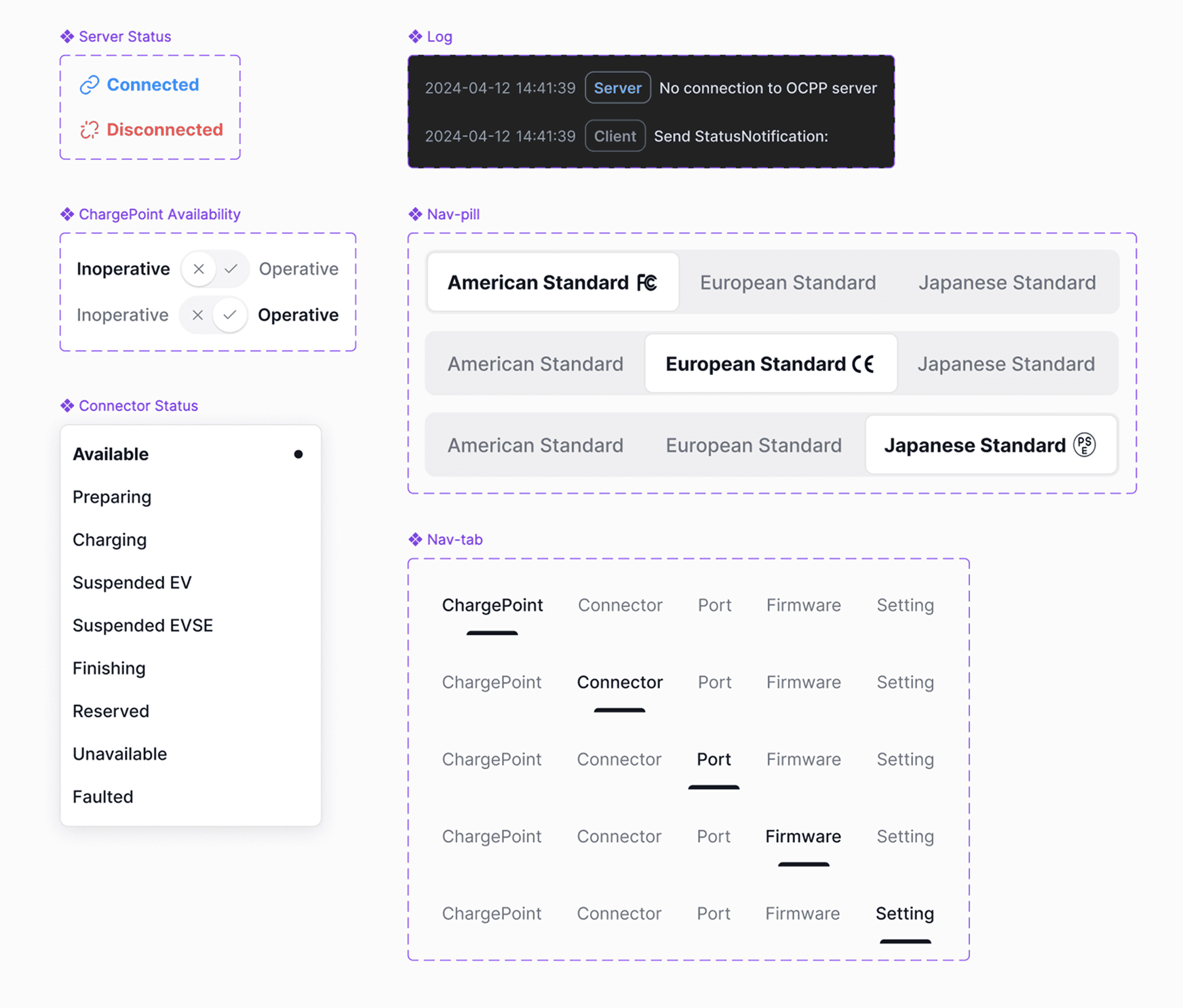
6.4
Components and variants.
IMAGE
IMPACT
Translating technical simulation signals into easy-to-use user interface for product operation and business expansion.
Highly recognized by key stakeholders.
I owned and led design strategy for the ChargePoint Simulator — playing a critical role in scoping and prototyping a transformative feature set.
The simulator has received positive feedback and heavy usage from development and testing colleagues after its launch. The testing and debugging efficiency for remote devices has significantly improved, saving time on frequent overseas business trips and reducing the costs of remote coordination across time zones.